Gprim
The Gprim schema is the base schema for all geometric primitives in USD. Gprims (“geometric prims”) are primitives that can have bounding boxes, be transformed, and directly define renderable shapes. Some example derived schemas include intrinsic geometry primitives (Sphere, Cube, Cylinder, etc.) and PointBased geometry primitives (Mesh, NurbsPatch, etc.). Gprim provides basic graphical properties such as displayColor and displayOpacity.
See also Working with Primitives and Meshes.
Examples
Basic Gprim with Display Properties
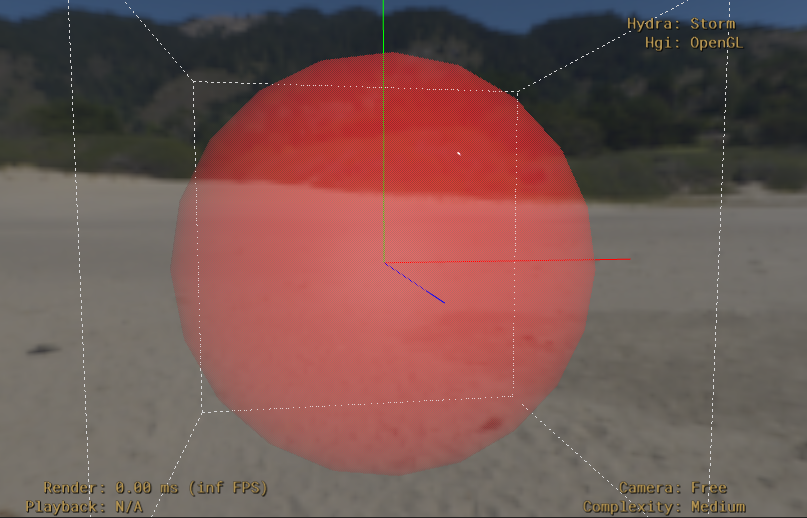
This example shows a Sphere with various attributes
#usda 1.0

def Sphere "MySphere"
{
    double radius = 2.0
    color3f[] primvars:displayColor = [(1, 0, 0)] (
        interpolation = "constant"
    )
    float[] primvars:displayOpacity = [0.4] (
        interpolation = "constant"
    )
    bool doubleSided = true
}
Gprim with Animated Display Color
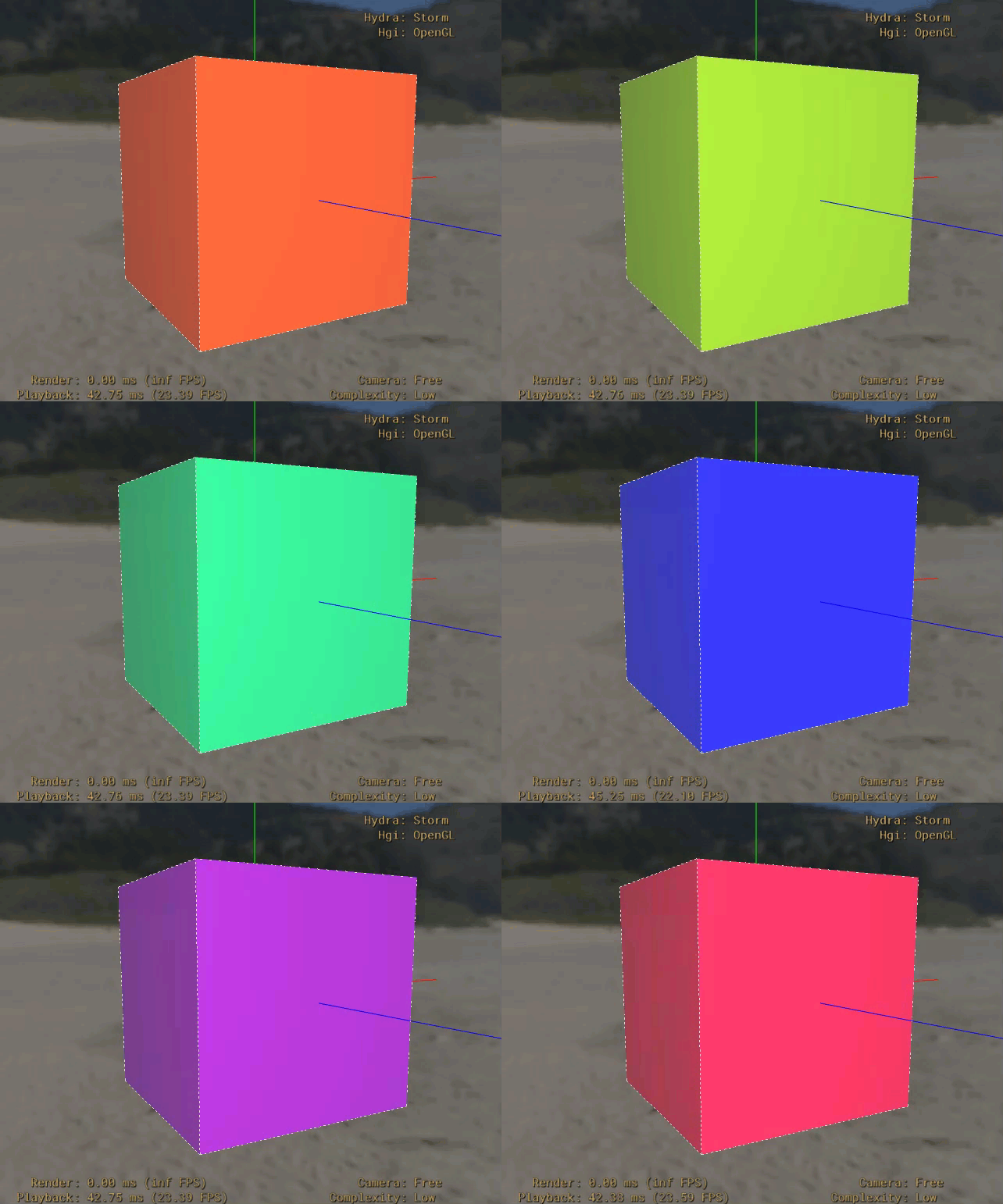
This example shows a cube with an animated value for displayColor
#usda 1.0
(
    startTimeCode = 1
    endTimeCode = 72
    timeCodesPerSecond = 24
)
def Cube "AnimatedColor"
{
    color3f[] primvars:displayColor.timeSamples = {
        0: [(1, 0, 0)],
        24: [(0, 1, 0)],
        48: [(0, 0, 1)],
        72: [(1, 0, 0)]
    }
}
Properties
doubleSided
USD type: bool
Fallback value: False
The doubleSided attribute controls whether the Gprim should be rendered from both sides. When false (default), renderers can perform backface culling optimizations. When true, the surface should be visible from both sides, which is useful for thin objects like paper, cloth, or leaves.
Note
Not all renderers support double-sided rendering.
orientation
USD type: token
Fallback value: rightHanded
Orientation specifies whether the Gprim’s surface normal should be computed using the right hand rule or left hand rule. This affects how surface normals are calculated and can impact lighting and culling behavior.
Allowed values:
“rightHanded” (the fallback value): Use right-hand rule for normal computation
“leftHanded”: Use left-hand rule for normal computation
Note
Transforms with odd numbers of negative scales can flip the effective orientation.
primvars:displayColor
USD type: color3f[]
displayColor provides an “official” color set that can be used for display or modeling purposes. This is used by shaders that specifically look for a displayColor primvar.
When used with Hydra, displayColor is typically used for viewport visualization and can serve as a fallback when no material is assigned.
See the Primvars user guide for more details on primvars.
primvars:displayOpacity
USD type: float[]
displayOpacity is the companion to displayColor that specifies opacity as an independent attribute rather than an RGBA color. This allows each to be independently overridden and is more compatible with shaders that rarely consume RGBA parameters. Like displayColor, displayOpacity is a primvar, and can be used as an override for a shader that consumes a displayOpacity primvar.
Use this for viewport visualization and as a fallback when no material is assigned.
See the Primvars user guide for more details on primvars.
Inherited Properties (Boundable)
extent
USD type: float3[]
The extent attribute defines a bounding box for the prim in its local coordinate space. It consists of two points: the minimum corner and maximum corner of the bounding box.
The extent is stored as an array of two float3 values:
First element: minimum corner (xmin, ymin, zmin)
Second element: maximum corner (xmax, ymax, zmax)
For animated geometry, the extent should be authored using animated values (timeSamples or splines) to capture the changing bounds over time. This allows renderers to efficiently cull geometry without having to compute the bounds at runtime.
Example:
float3[] extent = [(-1, -1, -1), (1, 1, 1)] # Unit cube
Inherited Properties (Xformable)
xformOpOrder
USD type: token[]
The xformOpOrder attribute contains the names of transform operation attributes in the precise sequence they should be applied. This ensures transforms are evaluated in the correct order.
Special tokens:
“!resetXformStack!”: Indicates this prim should not inherit parent transforms. Can introduce uncertainty for some scene processing algorithms.
“!invert!
”: Indicates an inverted operation (e.g., for pivot points). Automatically resolves to the negated value of its “paired op” (indicated in opName). See Xformable for an example using the invert op.
Inherited Properties (Imageable)
proxyPrim
USD type: rel (relationship)
The proxyPrim relationship allows linking a prim
whose purpose is “render” to its (single target) purpose="proxy" prim.
This is useful for providing a less complex proxy geometry representation of a
prim optimized for interactive renders.
Typically you would author proxyPrim for prims whose purpose is “render”, although this is not required for render and proxy prims to draw properly in the appropriate circumstances. Rather, it is for users and DCC’s to reason more easily about the different representations.
See also Using Purpose for Stand-in Data.
purpose
USD type: token
Fallback value: default
Purpose classifies geometry into categories that can each be independently included or excluded from different operations, such as rendering or bounding-box computation.
Allowed values:
“default”: No special purpose, included in all traversals. This is the fallback value if a purpose has not been authored.
“render”: For final quality renders.
“proxy”: For lightweight interactive renders. For example, the prim might be a lower-complexity representation of a mesh for rendering in a DCC tool.
“guide”: For helper/visualization geometry. For example, the prim might be a spline used as a visual aid in a rigging tool.
Purpose is inherited down the scene namespace. If a prim is not imageable or does not have an authored opinion about its own purpose, then it will inherit the purpose of the closest imageable ancestor with an authored purpose opinion (or use the fallback purpose if no ancestor has an authored purpose).
See also Using Imageable Purpose.
visibility
USD type: token
Fallback value: inherited
Visibility is the simplest way to control whether geometry is shown or hidden. It can be animated, allowing a sub-tree of geometry to appear and disappear over time. Unlike deactivating geometry, invisible geometry is still available for inspection, positioning, and computing against. Note that visibility is strongly inherited down the namespace, so child prims of a prim set as invisible cannot be switched to visible.
Allowed values:
“inherited” (the fallback value): Inherits visibility from parent prims
“invisible”: Hides the prim and all its children from rendering
See also Using the Visibility Attribute.